

AI auto caption generator
An AI auto caption generator turns speech into timed subtitles in about a minute. Word-level timing, multi-language export, and styled burns.
An AI auto caption generator converts speech into word-timed subtitles in about 60 seconds, then burns or soft-exports them in your brand style. Captions roughly doubled end retention on a 27-second test clip in our stack, which is why short-form teams treat captioning as infrastructure, not an accessibility afterthought. Here is how the pipeline works, what word-level timing unlocks, and how to export multi-language tracks without re-rendering.
The frustration is that captioning used to mean an evening in Premiere or paying $1.50 a minute for a service that returned an SRT 24 hours later. AI auto-caption generators collapsed that loop to about 60 seconds. This guide covers how the technology actually works under the hood, what word-level timing unlocks, how to export multi-language subtitles without re-rendering, and how to style captions so they reinforce the brand instead of fighting it.
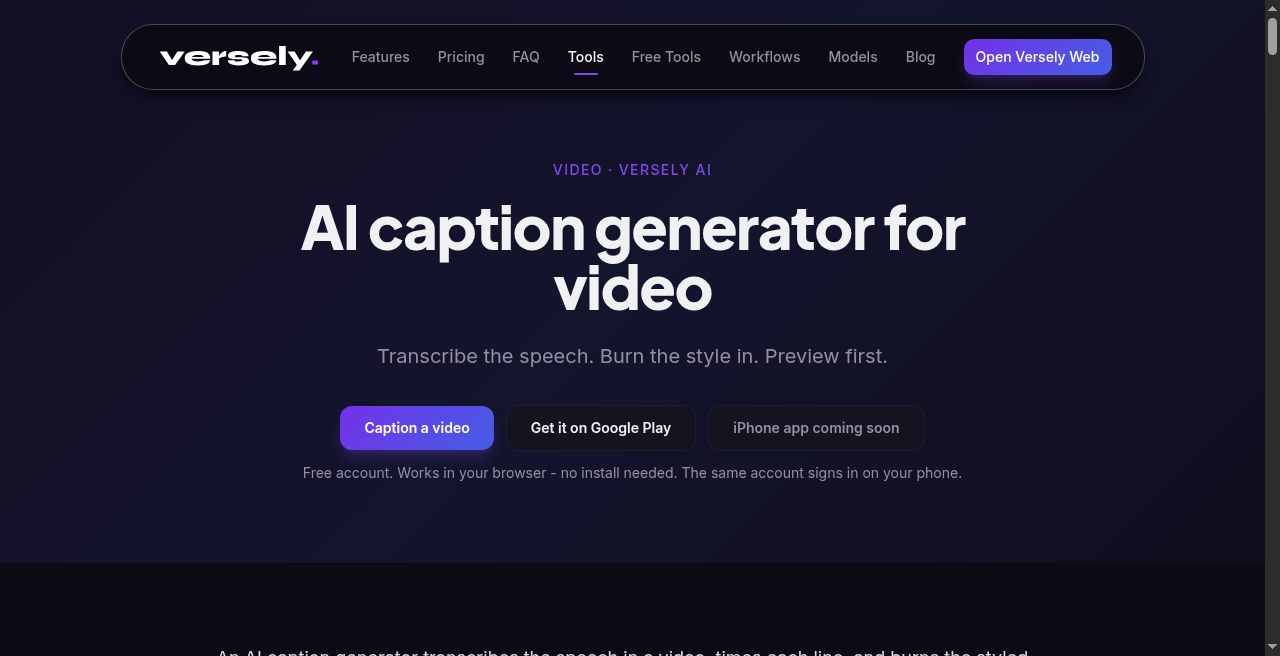 Word-level timing, style, and burn in one pass beats a 2021 export-SRT workflow.
How does an AI auto-caption generator actually work?
The pipeline is four stages, all running in the time it takes to scroll a feed.
- Audio extraction. The video file is demuxed and the audio track is resampled (typically to 16 kHz mono PCM) for the speech model.
- Speech-to-text inference. A large speech model (AssemblyAI-grade Universal-2 class, Whisper Large-v3, or similar) returns a transcript with word-level timestamps and confidence scores.
- Punctuation, casing, and segmentation. A second pass adds punctuation, capitalization, speaker labels if multiple voices are detected, and breaks the transcript into rendering-friendly chunks of two to four words per line.
- Render layer. Captions are burned in (rasterized into the video frames) or attached as a soft subtitle track in the chosen style - color, font, animation, position.
The accuracy delta between 2023 and 2026 is the part most teams underestimate. Word error rate on clean studio audio is now under 4% for English. On phone-recorded UGC with background noise it sits around 7-9%, which is below the threshold where viewers notice mistakes.
Versely's auto-caption controller runs against AssemblyAI-grade speech recognition, returns word-level timing, and renders directly into the UGC pipeline so you do not need a separate captioning tool. For the format options it stacks into, see the UGC video generator.
Why word-level timing is the whole game
Sentence-level captions read like television closed captions: a full line appears at once, sits for two seconds, gets replaced. That works for accessibility but does nothing for retention.
Word-level timing means each word can animate in on its exact spoken millisecond. That unlocks four things that matter for short-form:
- Karaoke highlighting. The current word turns yellow, pink, or whatever your brand accent is, while the surrounding words sit in white. Eyes lock to the highlight.
- Pop-on animation. Each word scales from 0 to 100% over 80ms as it lands. The micro-motion is a pattern interrupt that beats the swipe instinct.
- Emphasis sizing. Stressed words get rendered 1.4x larger than the line. The model uses pitch and amplitude data from the audio to detect emphasis.
- Punch words. Curse words, brand names, or numbers get a different color or a brief shake. This is the trick MrBeast-style channels use to make every line feel important.
None of this is possible with sentence-level transcription. If your captioning tool returns SRT only, you are doing 2021 captions.
Captioning formats compared
| Format | Use case | Render time | Best for |
|---|---|---|---|
| Static SRT subtitle track | Long-form, accessibility | Instant | YouTube long-form, podcasts |
| Burned-in line captions | Short-form general | 30-60 sec | Reels, basic TikToks |
| Word-by-word animated | Short-form retention | 60-120 sec | UGC ads, faceless shorts |
| Karaoke highlight | Music videos, hooks | 60-120 sec | Lyric content, education |
| Multi-line stacked | Tutorials, demos | 90 sec | SaaS, how-to videos |
| Speaker-labeled | Interviews, podcasts | 90-180 sec | Long-form clips, podcast reels |
The right format depends on the content, but for any vertical short-form ad or organic clip in 2026, word-by-word with a karaoke highlight is the default that wins comparison tests against everything else.
What does multi-language subtitle export look like in 2026?
The translation layer matured fast. Modern auto-caption pipelines do three things in sequence:
- Transcribe in the source language with word-level timing.
- Translate the transcript via an LLM that preserves timing markers.
- Re-render into the target language while compressing or expanding lines to fit the original timing window.
What this means practically: you can ship one English UGC ad and export it in Spanish, Portuguese, German, French, Hindi, and Indonesian without re-recording or re-editing. For DTC brands selling cross-border, that is a 6x output multiplier on every winning creative.
The catch is that translated text length varies. German runs about 30% longer than English. A two-word English line becomes a three-or-four-word German line, which can break a tight word-by-word animation. Good captioning tools auto-resize the font or repack lines to compensate. Bad ones overflow the frame.
If you want the dubbing layer paired with translated captions for the same ad, look at the AI voice cloning tool to keep the original voice across languages, and the AI lipsync tool to retime mouth movement to the new audio.
Accessibility and ADA compliance
Caption-as-performance-lever is a real argument. Caption-as-legal-requirement is also a real argument and most teams ignore it until a complaint shows up.
The 2026 baseline:
- United States. ADA Title III applies to most consumer-facing video. The DOJ's 2024 web accessibility rule clarified that synthesized captions are acceptable as long as accuracy is above industry standard (roughly 95%+). Auto-captioning meets this for clean audio.
- European Union. The European Accessibility Act took full effect in June 2025. B2C video on commercial platforms requires captions or transcripts.
- United Kingdom. Equality Act 2010 plus the BBC subtitling guidelines, which most reputable platforms treat as the de facto spec.
Practically, the safety move is: enable captions on every video you publish, run a quick visual proof on the first 3 seconds, and keep an SRT file alongside the burned-in version for accessibility tools that strip image overlays.
 CapCut still transcribes fast; the default look is what you swap before you publish.
How much retention lift do captions actually drive?
Practitioner numbers from short-form teams running A/B tests in 2026:
- No captions vs. line captions. Average retention lift of 18-25% on TikTok and Reels, 12-15% on YouTube Shorts.
- Line captions vs. word-by-word animated. Additional 10-18% retention lift, plus a measurable bump (4-8%) in completion rate on ads.
- Sound-off viewing share. Around 70-85% of feed-based mobile views happen with sound off. Captions are the only way those viewers get the message at all.
The math is brutal. If your video runs at a 35% completion rate without captions and a 55% completion rate with animated captions, you are leaving more than half your potential reach on the table by skipping a step that takes 60 seconds.
For a deeper view of how retention compounds with hook quality, see how to make viral short-form videos with AI.
Styling captions for brand consistency
Captions are typography. Treating them as an afterthought is the same mistake as treating your logo as an afterthought. The disciplined teams build a caption style guide and apply it across every video.
A practical brand caption spec contains:
- Font. One sans-serif. Inter, Bebas Neue, Montserrat, Geist Mono. Pick one and never deviate.
- Stroke and shadow. A 3-6px black stroke plus a soft drop shadow. Without these, captions disappear over busy backgrounds.
- Default color. White, almost always.
- Accent color. The brand color, used for emphasis words only. Limit to one accent per line.
- Position. Lower-third for most short-form, lower-center if there is no logo lockup, upper-third only for hooks where eye direction is up.
- Animation. Pop-on with an 80-120ms scale-in. Avoid bounce or rotate, which look amateur.
- Max words per line. 3 for hooks, 4 for body, never more than 5.
Versely's UGC pipeline lets you save these as a preset and apply across every clip in a campaign so 200 ads ship with identical caption DNA. That consistency is what separates a brand's content from a mixed bag of freelance edits.
How does captioning fit into a full short-form workflow?
The end-to-end pipeline most teams run in 2026:
| Stage | Tool | Output |
|---|---|---|
| Script | Agentic chat or LLM | Beat-by-beat script with hooks |
| B-roll generation | AI b-roll generator | Cutaway clips |
| Hero shot | AI video generator | 5-12 sec hero clip |
| Talking head | AI lipsync | Synced avatar or cloned creator |
| Voice | AI voice cloning | Source-voice audio |
| Assembly | UGC video generator | Composed 9:16 file |
| Captions | Auto-caption controller | Burned word-by-word captions |
| Multi-platform post | Versely social posting | 9 platforms in one push |
Captioning is the second-to-last step. It depends on a finished audio track, but it does not block any creative decision upstream. That is why most teams batch caption rendering at the end of the day across 20-40 clips at once. For more on the multi-platform layer, see the Versely AI models guide.
When does auto-captioning fail?
Honest list of failure modes you will hit:
- Heavy accents on phone audio. Word error rate climbs to 12-15%. Plan a 90-second human review pass.
- Music-bed-loud podcasts. If the music is louder than the voice, the speech model will hallucinate words. Mix the voice 6-9dB above music before captioning.
- Brand names and acronyms. "Versely" or "ScrollScribe" will get mistranscribed without a custom vocabulary list. Most pro tools accept a glossary.
- Multiple speakers, one mic. Diarization (who-said-what) drops to 70-80% accuracy when speakers overlap. Cut overlap in the edit if speaker labels matter.
- Whispered or screamed delivery. Both extremes have higher error rates than conversational speech.
For each of these, the fix is a 30-60 second human pass over the transcript before render, not abandoning auto-captioning. The 95% the model gets right still saves you 90% of the time.
What I'd actually do
I'd caption off the final mix, not a scratch VO. Auto-transcribe in Versely's AI caption generator (and the free tools burn helpers when you just need a quick burn), fix names and numbers by hand, pick a style from caption styles that is not the yellow bounce default, then burn for Shorts and Reels. Soft SRT only for long-form where viewers can toggle. If CapCut was the transcription step, I still restyle and re-burn elsewhere so the feed does not read as template spam. Batch 20 clips at end of day; never caption mid-edit.
FAQ
How accurate are AI auto-captions in 2026?
For clean English audio, word error rate is under 4% - meaning roughly 96 of every 100 words are correct. UGC-style phone audio runs 7-9% WER. Heavily accented speech and noisy environments can push WER to 12% or higher.
Can AI captions handle multiple languages in one video?
Yes, code-switching detection is standard in modern speech models. The transcript will tag each word with its detected language, and the renderer can style each language band differently. This is essential for bilingual creators or hospitality content.
Do I need to disclose AI-generated captions on Meta or TikTok?
No. Synthetic-media disclosure rules apply to AI-generated voices, faces, and visual content, not to AI transcription of real human speech. Captions of real audio are treated as transcripts.
What is the difference between burned-in captions and soft subtitles?
Burned-in captions are rendered as pixels into the video file - they cannot be turned off. Soft subtitles are a separate text track that the player overlays at runtime and can be toggled. Short-form needs burned-in (most platforms strip soft tracks). Long-form benefits from both.
How much does AI auto-captioning cost per minute in 2026?
Standalone APIs run $0.005-$0.015 per audio minute. Bundled inside a content tool like Versely, captioning is included with the UGC render and does not show up as a line item. The marginal cost of captioning a 30-second clip is effectively zero compared to the upstream generation.
Can I edit AI-generated captions before they render?
Every credible tool supports this. The transcript is editable as text, with timing markers preserved. Quick fixes for brand names, swear-word redaction, or rewording for line-break aesthetics take 30-60 seconds per minute of video.
Takeaway
Auto-captioning is the single highest-leverage 60-second step in short-form production. Word-level timing is the bar - anything else is a 2021 workflow. Treat captions as brand typography, ship multi-language exports off every winning creative, and the retention math turns from a leak into a lever.
For the broader playbook around shipping 50+ creatives a week against this caption-first standard, the AI UGC ads complete guide for ecommerce and the AI content creation 2026 complete playbook cover what plugs in upstream.