

Sora 2 vs Veo 3.1: use Veo for dialogue
Sora 2 is discontinued. App ended 26 April 2026; API shuts 24 September 2026. Veo 3.1 is the dialogue model. Seedance 2.5 and HappyHorse cover stylized shots.
Sora 2 is discontinued (app ended 26 April 2026; API shuts 24 September 2026), so Veo 3.1 wins this comparison by staying live. Use Veo 3.1 for dialogue and filmic realism; route stylized hero shots to Seedance 2.5 or HappyHorse-1.0 instead of waiting on Sora.
What follows is a capability map you can still use for migration, not a recommendation to keep calling Sora.
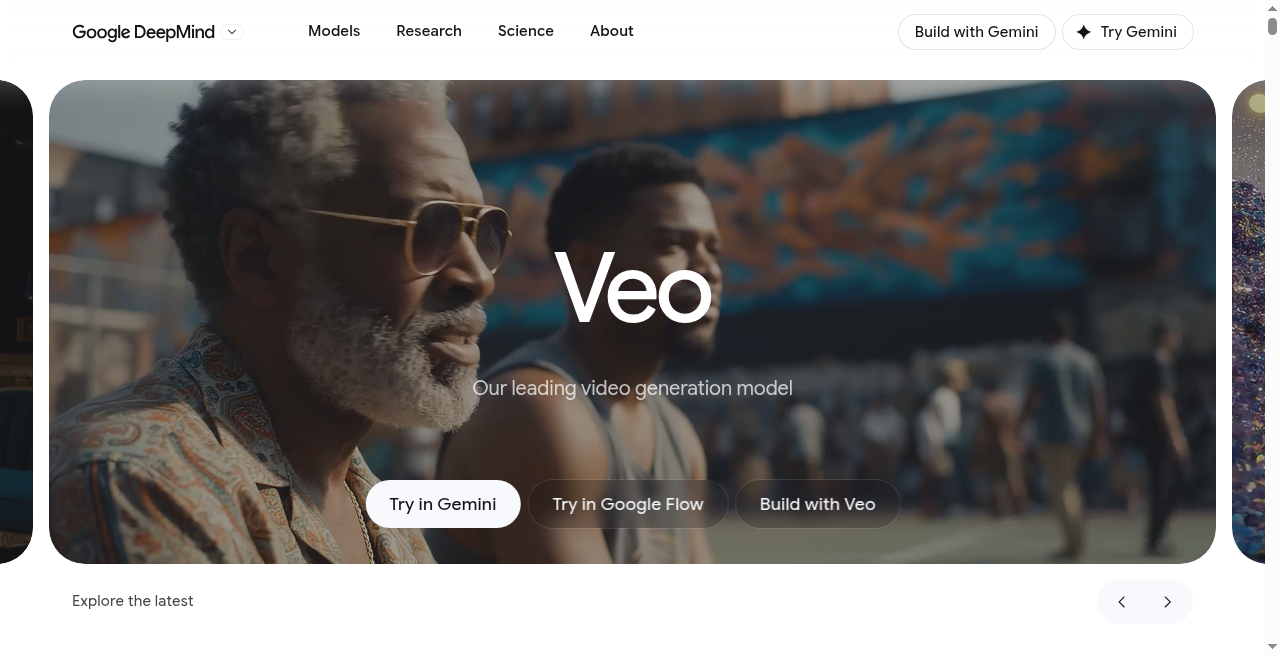 Veo 3.1 remains live; treat Sora 2 rows below as historical after the 2026 shutdown.
Updated August 2026: Sora 2 is discontinued, not gated. OpenAI pulled the Sora app and web experience on 2026-04-26, and the API shuts down 2026-09-24 - reported cause was roughly $1M/day in compute against about $2.1M in lifetime revenue, plus Disney exiting the partnership. Sora survives only as a rate-limited feature inside ChatGPT, with no API and no batch access. Everywhere this post says "Sora 2 wins" or recommends Sora 2 for a job, read that as historical - the current answer for that same job is VEO 3.1 (still live, still the dialogue leader) or HappyHorse-1.0 / Seedance 2.5 for the stylized-realism lane Sora 2 used to own. Full timeline in the creator survival guide; migration steps in the API sunset plan.
Earlier update, May 2026, preserved for context: Sora 2 generation went paid-only on 2026-01-10 when OpenAI sunset the free tier. The VEO 3.1 release on 2026-01-13 added Ingredients to Video (3-image multi-reference for character consistency), native 9:16 vertical, 4K upscale, and 60-second Scene Extension. Both models were audio-native by default at that point; the old "generate silent, dub in post" workflow was optional, not required.
The lineup (Sora 2 side now historical)
Google still ships VEO 3.1 across multiple tiers; OpenAI's Sora 2 lineup is preserved below for reference only - it's discontinued. What Versely exposed while both were live:
Sora 2 (discontinued 2026-04-26, API sunsets 2026-09-24):
- Text-to-video (standard)
- Text-to-video Pro
- Image-to-video (standard)
- Image-to-video Pro
VEO 3.1 (live):
- Text-to-video (standard)
- Text-to-video Fast
- Image-to-video
- Reference-to-video
- First-last-frame video
- Extend-video
VEO 3.1 has a broader capability surface - specifically reference-to-video, first-last-frame (specify starting and ending frames, model generates the in-between), and extend-video (take an existing clip and continue it). Sora 2 stuck to T2V and I2V with pro variants on both. That capability gap is now academic for Sora 2 specifically, but it's the same gap you'll find comparing VEO 3.1 to HappyHorse-1.0 or Seedance 2.5 today.
Dialogue and lipsync: VEO 3.1 wins cleanly
VEO 3.1 co-generates audio natively, including dialogue with lipsync, and remains the correct model for any brief involving people talking on camera. Sora 2's dialogue path - whatever its exact audio capability at a given point in 2026 - is moot now regardless, since the model is discontinued: the app shut down 2026-04-26, the API follows 2026-09-24.
This matters enormously for UGC ads, talking-head content, spokesperson work, product explainers and any scenario where a character speaks. Not a close call. For a deep dive on VEO 3.1's audio co-generation and dialogue work see our VEO 3.1 complete guide.
For dialogue work today, route to VEO 3.1 directly rather than trying to replicate a Sora 2 pipeline - Versely's AI lipsync tool remains the post-hoc option for any hero-shot model's silent footage.
Stylized realism and motion: Sora 2 used to take it - here's what does now
Sora 2's strength was visual style. It produced footage that looked deliberately cinematic - slightly surreal, motion that had weight and character, camera language that read as film rather than documentary. For stylized content, music videos, dreamlike sequences, fashion film, high-concept advertising - Sora 2 tended to produce the more visually striking first result. That job now belongs to HappyHorse-1.0 (current #1 on Artificial Analysis's no-audio leaderboards) and Seedance 2.5, since Sora 2 is discontinued.
VEO 3.1 defaults to a grounded, photoreal aesthetic. That's exactly right for dialogue and commercial work, but for stylized pieces it can feel flatter than what Sora 2 used to deliver, or what HappyHorse-1.0 delivers today. If you prompt VEO 3.1 heavily toward stylization it will deliver, but a dedicated stylized model still gets there faster with less prompt work.
Motion realism is closer than you'd expect. VEO 3.1 handles everyday human motion with very high fidelity. Complex, expressive or unusual motion (dance, stunts, creatures) - Sora 2's old lane - is now HappyHorse-1.0's or Seedance 2.5's to win.
Clip length and continuity
VEO 3.1 supports up to 12 seconds per standard generation and has extend-video for stitching longer sequences with preserved motion. First-last-frame generation lets you specify exactly where a clip starts and ends, which is hugely useful for cutting on action or transitioning into overlaid text.
Sora 2 capped at 10 seconds standard, with no first-last-frame or extend-video - a limitation that's moot now that the model is discontinued. Seedance 2.5 is the notable current option for anyone who needed Sora 2's longer-form ambitions: it does native single-pass generation up to 30 seconds at up to 4K.
For sequences longer than a single clip, VEO 3.1's continuity tools remain a meaningful workflow edge over anything that doesn't offer first-last-frame or extend-video natively.
Pricing in 2026 (Sora 2 rows are historical)
VEO 3.1 sits at the premium end and is still purchasable. Sora 2's rows below are preserved for reference - that model can no longer be bought at any price. Approximate per-second numbers on Versely as they stood in mid-2026:
| Model | Per-Second Cost | Clip Length | Audio Included | Fast Variant |
|---|---|---|---|---|
| Sora 2 T2V (discontinued) | $0.095 | up to 10s | No | No |
| Sora 2 T2V Pro (discontinued) | $0.145 | up to 10s | No | No |
| Sora 2 I2V (discontinued) | $0.105 | up to 10s | No | No |
| Sora 2 I2V Pro (discontinued) | $0.155 | up to 10s | No | No |
| VEO 3.1 T2V | $0.120 | up to 12s | Yes | Yes (~$0.07) |
| VEO 3.1 I2V | $0.125 | up to 12s | Yes | No |
| VEO 3.1 Reference | $0.130 | up to 12s | Yes | No |
Factor audio into the VEO 3.1 numbers - they include native audio co-generation. Check current model pricing for what HappyHorse-1.0 and Seedance 2.5 cost today against these VEO 3.1 rates.
Access paths
- Sora 2 - discontinued. The app and web experience shut down 2026-04-26; the API follows 2026-09-24. What remains is a rate-limited feature inside ChatGPT Plus/Pro, with no API access.
- VEO 3.1 - Google Gemini API and Google Cloud Vertex AI, with Versely unifying access so you call it from the same UI and billing as HappyHorse-1.0, Kling 3.0 and the rest of the roster.
The practical point: on Versely you don't need separate accounts, rate limits or billing relationships for each model - and a multi-model account doesn't strand you when one vendor discontinues its model the way OpenAI just did with Sora 2.
Content-policy strictness
VEO 3.1 is more permissive on realistic human depictions, action, dramatic framing and brand-adjacent content. Sora 2 was stricter on celebrity likeness, realistic violence, certain brand scenarios and public-figure depictions while it existed - a moot comparison now, but worth checking against HappyHorse-1.0's or Seedance 2.5's policies if you're evaluating replacements.
For commercial creator work, VEO 3.1's policy envelope remains wider and fewer jobs get refused than on stricter alternatives. For most stylized and fictional work, the current field is generally permissive.
 Pick by job, not by brand preference - the capability gaps are real.
Who wins per use case
The honest verdict, job by job - Sora 2 is discontinued, so its old wins now point to its replacement:
- UGC-style ads with dialogue: VEO 3.1 Pro. Native audio and lipsync close the deal.
- Cinematic hero shots, stylized advertising: Was Sora 2 Pro's job. Now HappyHorse-1.0 or Seedance 2.5 for that visual ceiling.
- Dialogue-heavy explainer content: VEO 3.1. No contest on audio-video sync.
- Faceless YouTube B-roll: VEO 3.1 Fast is the cheaper path; HappyHorse-1.0 is the current pick for stylized content.
- Short-form TikTok / Reels creative: VEO 3.1 for anything with talking, HappyHorse-1.0 or Kling 3.0 for visual-only concept pieces.
- Music videos and mood pieces: Was Sora 2's edge. Now HappyHorse-1.0 or Seedance 2.5 for stylization.
- Product demo with spoken narration: VEO 3.1. Full stop.
- Multi-shot narrative sequences: VEO 3.1 with first-last-frame and extend-video, or Kling 3.0's start-end frame mode.
- Fashion film and high-concept editorial: Was Sora 2's aesthetic lane. Now HappyHorse-1.0.
- Social content at scale with tight budget: Use Seedance 2.5 or Kling 3.0 for the bulk and reserve VEO 3.1 for hero shots.
Combining VEO 3.1 with a stylized hero-shot model in a single project
Serious creators don't pick one. A realistic premium project uses both - Sora 2's old slot here now belongs to HappyHorse-1.0 or Seedance 2.5:
- Open with HappyHorse-1.0 or Seedance 2.5 for the cinematic opening shot - visual character, stylized motion (Sora 2 Pro's old job).
- Cut to VEO 3.1 for the dialogue-driven middle - spokesperson or character speaking.
- Return to the hero-shot model for visual hero moments - product in motion, stylized transitions.
- Close with VEO 3.1 extend-video to hold a long final shot for end-card overlay.
Versely's movie maker handles multi-model sequencing in a single timeline, so switching between them during assembly is friction-free. For a deeper placement of these models within the broader landscape of 2026 video generation see our best AI video generation models of 2026 ranking, and the creator survival guide for the full Sora migration picture.
Technical capability matrix
| Capability | Sora 2 (discontinued) | Sora 2 Pro (discontinued) | VEO 3.1 | VEO 3.1 Fast |
|---|---|---|---|---|
| Text-to-video | Yes | Yes | Yes | Yes |
| Image-to-video | Yes | Yes | Yes | No |
| Reference-to-video | No | No | Yes (Ingredients, up to 3 refs) | No |
| First-last-frame | No | No | Yes | No |
| Extend-video | No | No | Yes (60s Scene Extension) | No |
| 4K upscale pass | No | No | Yes | No |
| Native 9:16 vertical | Yes | Yes | Yes (native, not crop) | Yes |
| Native audio | Yes (audio-native) | Yes (audio-native) | Yes | Yes |
| Dialogue / lipsync | Yes (consonant drift) | Yes (consonant drift) | Yes (phoneme-accurate, 8 langs) | Yes |
| Max clip length | 10s | 10s | 30s + 60s extension | 10s |
| Max resolution | 1080p | 1080p | 4K (upscale pass) | 720p |
| Availability | Discontinued 2026-04-26; API sunsets 2026-09-24 | Discontinued 2026-04-26; API sunsets 2026-09-24 | Live | Live |
| Content policy | Stricter | Stricter | More permissive | More permissive |
VEO 3.1's wider capability surface - Ingredients to Video, 4K upscale, 60-second Scene Extension and native vertical - was already the single biggest differentiator once you needed anything beyond T2V and I2V, and it's the only side of this matrix still buyable. Sora 2's audio-native upgrade in early 2026 closed the most painful gap on the Sora side, but lip-sync remained a step behind VEO's phoneme-accurate pipeline right up to the shutdown.
FAQ
Can Sora 2 generate audio, and can I still use it? It generated audio-natively from early 2026 onward, and lip-sync was acceptable though consonants drifted - but Sora 2 is discontinued now. OpenAI pulled the app on 2026-04-26 and shuts the API down 2026-09-24. VEO 3.1's phoneme-accurate sync is the current pick for any dialogue-led brief, full stop.
Is Sora 2 still available at all? Only as a rate-limited generation feature inside ChatGPT Plus/Pro, with no API and no batch access. OpenAI ended the Sora free tier on 2026-01-10, then discontinued the app and web experience entirely on 2026-04-26; the API follows on 2026-09-24. VEO 3.1 still offers a Lite free tier of ~10 generations per month for evaluation, unaffected by any of this.
Is Sora 2 Pro worth the premium over standard now? Neither is purchasable, so this is a historical question. While Sora 2 existed, Pro's premium was worth it for hero shots and cinematic work where visual quality was the point. For that same job today, compare VEO 3.1 against HappyHorse-1.0 or Seedance 2.5.
Which model handles realistic human faces better - VEO 3.1 or Sora 2's replacements? VEO 3.1 edges it for photoreal talking-head work, same as when Sora 2 was still around. HappyHorse-1.0 is the closest current match for the stylized or expressive portraiture Sora 2 used to edge out on.
Can I still use both models in the same project? No - Sora 2 can't be generated outside ChatGPT's rate-limited feature. On Versely, VEO 3.1 mixes freely with HappyHorse-1.0, Kling 3.0 or Seedance 2.5 in the movie maker timeline instead.
What about content safety differences? VEO 3.1 is generally more permissive on realistic human depiction and commercial/brand content. Sora 2 was stricter on celebrity likeness, public figures and certain action content while it existed - moot now that it's discontinued, but a useful reference point if you're evaluating its replacements against the same bar.
Closing takeaway
Sora 2 and VEO 3.1 were never really competitors so much as complements. VEO 3.1 owns dialogue, native audio, reference conditioning and long-form continuity - and it's still standing. Sora 2 owned stylized aesthetics, expressive motion and cinematic character until OpenAI discontinued it: the app on 2026-04-26, the API on 2026-09-24. The creators doing the best premium video work on Versely now route hero shots to HappyHorse-1.0 or Seedance 2.5, dialogue scenes to VEO 3.1, and back-fill the rest with Kling 3.0 where it's the better economic fit. Capability-matched routing is still the whole game at this tier - the roster just changed by one name.