

Free Tools vs Paid Studio Credits
On-device free tools win for burn, trim, safe area, compress, and crop. Generation, TTS, lipsync, and new speech captions need studio credits.
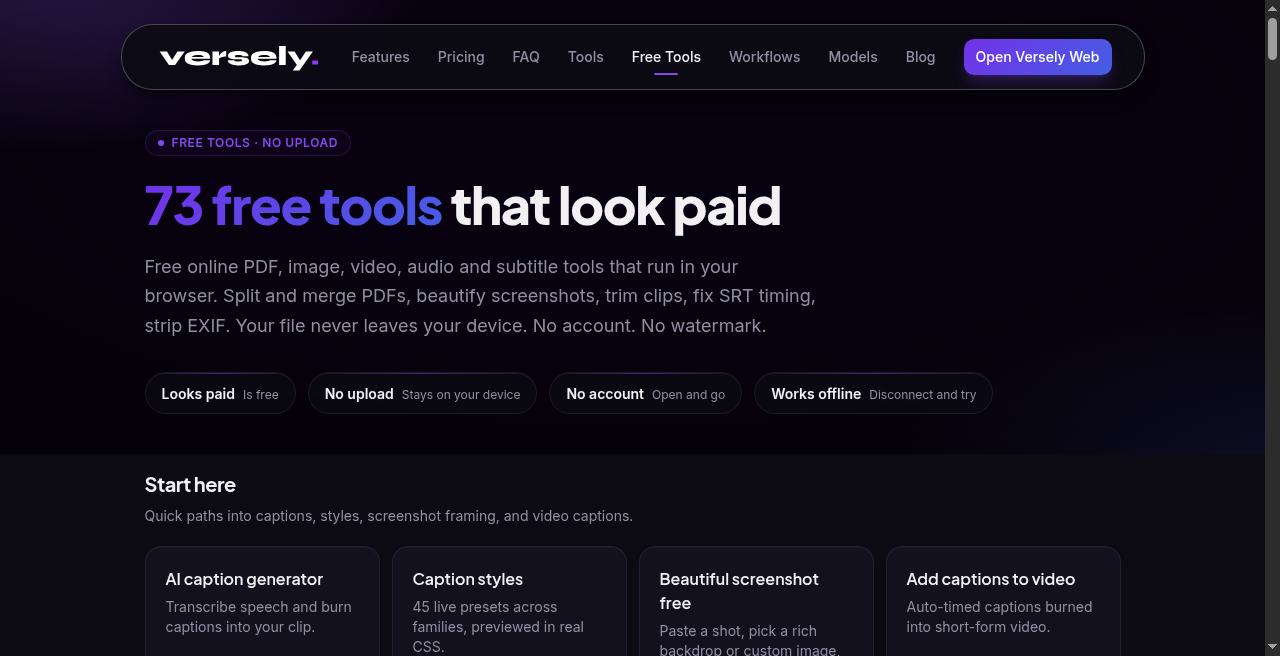
Free on Versely means something specific: browser tools under /free-tools that run on your device, with no upload of the file to Versely servers. Paid means studio credits for model work: generate a clip, run multi-model TTS, lipsync a talking head, or build new captions from speech in Caption Studio. There is no free generation tier. If the job needs a model on our hardware, it costs credits. If the job is local file surgery you already own, stay free.
This guide is a decision sheet, not a coupon hunt. Use it when you are about to spend credits on a step that never needed a model.
The honest split
On-device free tools exist because the steps around generation should not burn your meter. Trimming a hook, checking TikTok chrome, compressing a finished Reel, cropping a still, or burning an SRT you already edited are not generation. They are craft utilities. Versely ships them in the browser so NDA footage, client masters, and unreleased packs never have to leave your machine.
Studio credits exist because generation is not free to run. Text-to-video, image-to-video, premium voices, lipsync models, and speech-to-caption pipelines use catalog models. You see a credit quote before confirm. That honesty is the product: free tools stay free because they cost nothing to operate locally; generation stays metered because it costs something to operate in the cloud.
Competitors often blur "free tool" with "free AI video." We do not. If a page says free and on-device, treat it as a local utility. If a page is under /tools/ for generation, treat it as credits.
When free tools win
Burn an existing SRT or VTT
You already have a timed track from a human pass, a prior export, or a client delivery. You need karaoke-style pixels in the MP4 before upload. Use burn captions. Drop the video, drop the SRT/VTT, pick a look, burn locally. Optional on-device Whisper tiny can draft cues when you have no track, but that path is free-tool accuracy, not the paid AI caption generator. For mute retention on a locked cut with a known transcript, the free burn is the right meter state: off.
Trim without uploading
You have a long take or a generated master and only need an in/out. Use the video trimmer. Same idea for audio with the audio trimmer. No account, no watermark, no server copy. Do this before you burn captions so cue timing matches the final open.
Safe-area check before you ship
Platform chrome eats hooks. Use safe area preview to overlay TikTok, Reels, and Shorts UI on a still or frame. Fix type placement free. Do not burn chrome into the shipping file; the overlay is a check, not a style.
Compress for social bitrates
Upload limits and soft compression on IG/TikTok punish fat masters. Use social video compress on-device when the creative is already approved and you only need a smaller file. Pair with reel shorts resizer when the job is aspect, not bitrate.
Crop and still prep
Hero stills, pack shots, and thumbnail plates need exact crops, not a new model. Use image cropper at native pixels. Related local helpers: image compressor, frame extractor, hook text overlay when you only need a bold open line burned or exported as PNG.
Privacy and NDA material
If you are contractually barred from uploading client footage, free tools are not a nicer privacy policy. They are no upload. Process locally, export, close the tab. Generation still requires you to send inputs to models when you choose a paid path; decide that consciously.
When studio credits are required
Generate new picture or motion
Anything that invents frames from text, stills, or references is paid. Start at the AI video generator or brief the Versely agent. Free tools cannot invent a product demo that does not exist in your file.
Premium TTS and voice clone jobs
Stock Kokoro hooks on-device (see free hook TTS) are not the multi-model studio TTS path. For catalog voices, clones with consent, and character-billed speech, use AI text to speech / voice tools in studio. Credits apply.
Lipsync and talking heads
Mouth motion driven by audio or text is model work. Use AI lipsync (and related UGC / testimonial flows). Free tools do not invent synced performance.
New captions from speech (Caption Studio)
When you need higher-accuracy transcription from final audio, styled families from the public shelf, and a full burn pipeline, use the AI caption generator. Browse looks free on /caption-styles. Rendering the styled MP4 from speech is paid. Free burn remains for the case where you already hold an SRT.
Agent pipelines and multi-step campaigns
A weekly pack that plans generates, VO, captions, and optional schedule is a briefed, credited job. Teach that shape in briefing an agent instead of writing prompts and the weekly pack companion post. Do not expect /free-tools to stand in for a content pipeline.
Job table: free-tool vs paid studio
| Job | Free-tool | Paid studio |
|---|---|---|
| Burn known SRT/VTT into MP4 | Burn captions | Caption Studio only if you also need speech generate + styled family from audio |
| Draft cues with tiny local Whisper | Optional path on burn captions (free-tool accuracy) | AI caption generator for studio speech captions |
| Trim in/out on a finished file | Video trimmer | Not a credit job |
| Check TikTok / Reels / Shorts chrome | Safe area preview | Not a credit job |
| Shrink bitrate for upload | Social compress | Not a credit job |
| Crop a still at native pixels | Image cropper | Not a credit job |
| Resize 9:16 / 4:5 / 1:1 | Reel Shorts resizer | Not a credit job |
| Invent new video from brief or still | Not available free | AI video generator |
| Multi-model TTS / clone | Free hook TTS is local stock only | AI text to speech |
| Lipsync talking head | Not available free | AI lipsync |
| UGC-style ad test pack | Prep/compress free after export | UGC video generator |
| Weekly multi-step Reels pack | Local QC only | Agent brief + credits (pipeline brief guide) |
A practical week that mixes both
Monday: lock five hooks on paper. Generate only the clips that need new motion or VO in studio. Keep credit quotes visible.
Tuesday: trim opens on-device. Safe-area check. Fix any type that hits chrome.
Wednesday: if transcripts are human-edited SRTs, burn free. If you need speech-to-caption from final VO, run Caption Studio once per keeper, not on every scratch take.
Thursday: compress and resize for each platform. Upload. Do not regenerate because the file was 12MB over a limit.
Friday: review muted on a phone. Failures that are placement or bitrate go back to free tools. Failures that are wrong performance or wrong product go back to studio with a tighter brief.
That rhythm protects credits for the scarce job (net-new creative) and keeps utilities off the meter.
Common mistakes
Paying to re-encode. Compress and resize are free. Regenerating a whole clip because Instagram soft-rejected a fat file is a budget leak.
Burning before trim. Cue times will drift. Trim first, then burn.
Treating Whisper tiny as Caption Studio. Local tiny is a convenience draft. Brand names, numbers, and multi-speaker shows still need a human pass or the paid generator.
Uploading NDA masters to "try a free AI." If the page is a free tool, it should not upload. If it is a generator, assume inputs go to models. Read the page job, not the marketing adjective.
Skipping approval on agent packs. Free tools will not stop an auto-post. Budget ceilings and plan approval live in the agent loop (approve or reject a plan).
How this fits Versely early
Versely is still early: the free hub and the credit studio are meant to stay clearly labeled. We would rather you finish a client-safe burn for free than confuse you into a free-gen myth. When you need net-new video, pay for the model. When you need file craft, stay on-device.
For money-path context without invented earnings, skim /make-money. For brand caption choices before you spend a burn, open /caption-styles.
FAQ
Is there a free tier for AI video generation on Versely?
No. There is no free generation tier. On-device /free-tools utilities are free because they run in your browser. Model generation uses studio credits with a quote before confirm.
Does burn captions upload my video?
No. The free burn path reads the file in your browser. Optional Whisper tiny also runs locally (model assets may download into browser cache from Hugging Face on first use). Audio is not uploaded to Versely for that free path.
When should I pay for the AI caption generator instead of free burn?
Pay when you need new captions from speech with studio accuracy and styled Caption Studio looks. Stay free when you already have an edited SRT/VTT and only need hard-burn.
Can free tools replace lipsync or premium TTS?
No. Local hook TTS and DSP helpers are not the paid lipsync or multi-model TTS studios. Use them for quick experiments; ship talking heads and catalog voices on credits.
Why give away compress, trim, and crop?
Because those steps surround generation. They should not force an upload or a credit spend. Keeping them local also protects client material you cannot send to third parties.
Takeaway
Use /free-tools when the file already exists and the job is burn, trim, safe-area, compress, or crop. Use studio credits when you need generate, premium TTS, lipsync, or new captions from speech. There is no free generation tier on Versely. Keep the meter for net-new creative, and keep utilities on your device.