

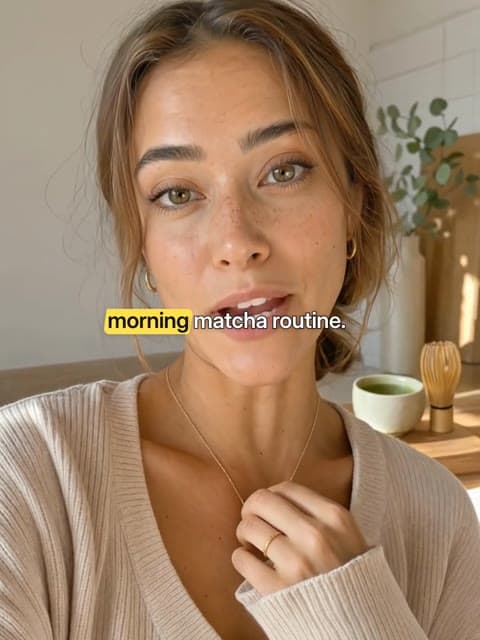
What Highlighter captions look like
How the words move
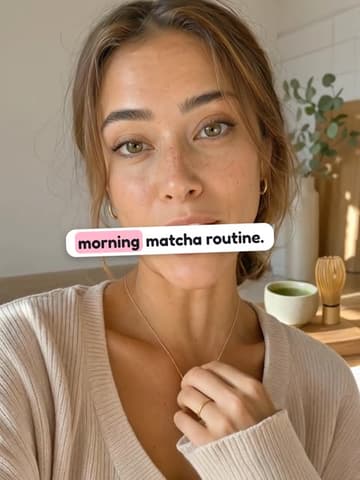
A yellow highlighter swipes across the key word as it is said.
Highlight colour #FFE04A, which you can change.
When to use Highlighter captions
Sentence case with a marker swipe on the word that matters. Made for tips, explainers and study content with one point to remember.
How to add Highlighter captions to a video
1. Open Captions
On Versely Web or in the iPhone app, open Captions and upload a video of up to 200 MB, or press Add captions on anything you made in Versely.
2. Check the words
Versely writes down what is said and times every word. Fix a name or a misheard word before anything renders.
3. Pick Highlighter
It is in the On a box group. It plays over your own video; put it at the bottom, middle or top and change the highlight colour if you like.
4. Export
You get an MP4 with the captions burned in, ready for TikTok, Reels and Shorts. Free on videos up to 10 minutes.
Free on the web and on iPhone, one account.
Questions about Highlighter captions
Are Highlighter captions free?+
Yes. Highlighter is one of the 31 free styles in Versely's Caption Studio: no credits on videos up to 10 minutes, for up to 30 videos a day.
What font do Highlighter captions use?+
Highlighter is set in Inter, in sentence case. The font comes with Versely's caption engine, so your export looks like the preview.
Can I change the colour or position of Highlighter captions?+
Yes. Highlighter starts with #FFE04A as its highlight colour, and you can pick any other in Caption Studio. You can also put the captions at the bottom, middle or top of the frame.
Similar caption styles
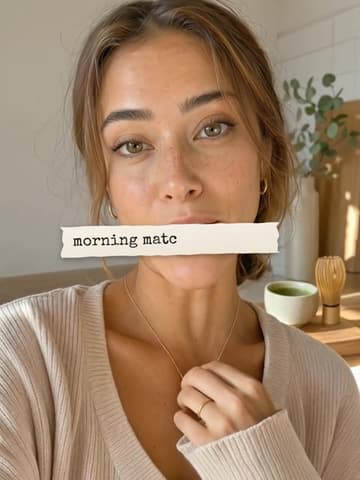
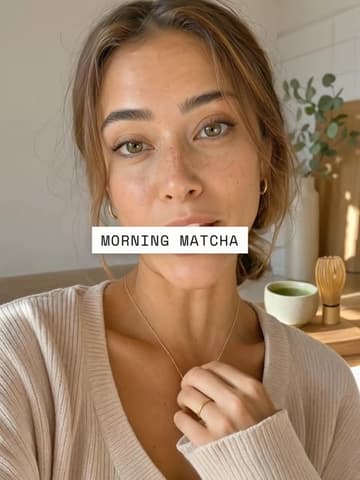
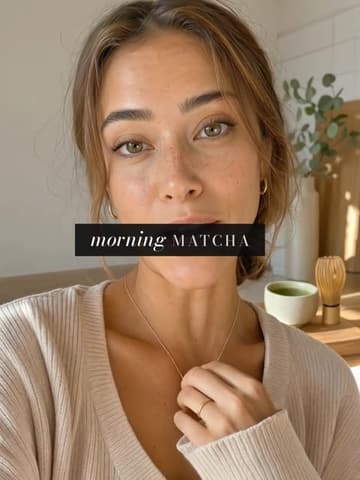
Or see all 31 caption styles playing on the same clip.
Guides
Best caption styles for TikTok Reels Shorts
Best caption styles for TikTok, Reels, and Shorts: timed hooks vs static reads, safe area, then burn before platform auto.
Best caption styles for retention
Best caption styles for retention in 2026: timed Snap/Reveal when the words are the hook; static Classic/Paper/Ink when speech just needs to be read.
Caption Styles That Fit Your Brand (Not Just MrBeast Clones)
How to pick caption styles that match your brand instead of copying creator trends: typography, color, motion, and platform rules with real examples.
CLI tools: terminal caption presets, then a hook pack
Look first. Openings second.
Add Highlighter captions to your video
Free in Versely on videos up to 10 minutes. See how auto captions work.
Free on the web and on iPhone, one account.