

Best AI Image Generators 2026, Plus Free Editing Tools
Best AI image generators, October 2026 (GPT Image 2.5, Nano Banana, Ideogram V4, FLUX) plus the free tools that finish the job: cutouts, upscale, erase.
The best AI image generators in October 2026 are GPT Image 2.5, Nano Banana 2.1 and Grok Imagine Image 2.0 for general stills, Ideogram V4 for text, Midjourney for the look and FLUX.2 for control. Then finish the file: remove background, upscale, erase, restore. A "best AI image generator" list that stops at the still is half a job.
Start a still in the text to image tool, then edit rather than reroll.
AI image generation in 2026 has split into two clearly different markets. There's the creation side - where GPT Image, Nano Banana, Midjourney, Flux and Ideogram compete on quality - and the utility side, where smaller specialized tools quietly do 80% of the real work: removing backgrounds, colorizing old photos, upscaling low-res assets, and cleaning up junk from images.
Most guides only cover one side. If you're making actual content in 2026, you need both. This is the complete map.
Best AI image tools in 2026 split into generators and utilities. Create the still with a gallery model, then finish with remove-background, upscale, object erase, or restore. Most guides cover only one side; shipping work needs both.
Generator vs utility cheat sheet
| Job | Generator | Utility that finishes it |
|---|---|---|
| New hero still | GPT Image / Flux / Midjourney / Ideogram | Upscale, crop without losing quality, compress |
| Fix one object or label | Instruction edit (Qwen Image Edit family) | Screenshot beautifier for UI shots |
| Product on clean ground | Text-to-image then edit | Remove-bg / cutout |
| Feed-ready carousel | Stills in text to image | Resize to exact pixels + safe margins |
Generate in text to image. For instruction edits on a locked still, open Qwen Image Edit 2511 from the catalog. Free on-device helpers: background remover, object eraser, image upscaler, and the full free tools hub.
Versely path
Generate the still in text to image. For instruction edits on a locked frame, open Qwen Image Edit 2511. Finish on-device with no upload: background remover, object eraser, image upscaler, or the full free tools hub. UI captures: screenshot beautifier. Starting from a reference picture rather than an idea? The free image to prompt generator drafts a prompt from it on your device, ready to edit before you generate.
- Text to image
- Background remover (on-device)
- Object eraser
- Image upscaler
Part 1 - The top AI image generators
Credits below are the Versely catalog figures on 8 October 2026. For the dated release table and the per-job picks, see latest AI image models, picked by job.
GPT Image 2.5 (OpenAI)
Released on 8 September 2026 in two API tiers: Flare for fast, high-quality everyday generation and Sunburst for workflows where editing precision matters most. Conversational refinement works well here: describe, tweak, iterate in one thread. Both are 4 credits on Versely, up to 4K, with GPT Image 2 (9 credits) still listed. Best for: ideation, multi-subject scenes, precise edits on a locked still. See GPT-Image-2.5 Flare vs Sunburst.
Nano Banana 2.1, 2 and Pro (Google)
Google made Nano Banana 2.1 generally available on 6 October 2026, with 1K, 2K and 4K output, better text rendering and up to 14 reference images. On Versely, Nano Banana 2 is 4 credits, the Lite tier 3 and Pro 12. Best for: text-heavy graphics, edits, and images that need to reflect current facts through Google Search grounding.
Grok Imagine Image 2.0 (xAI)
xAI's current stills model: 13 aspect ratios and up to four images per request, from 2 credits on Versely. See the Grok Imagine prompting guide. Best for: cheap ideation and wide exploration.
Ideogram V4
The text-in-image specialist, replacing the V3 this guide first described. Ideogram V4 is 5 credits on Versely and aimed at posters, logos, memes and UI mockups where the words must be right. Best for: anything with words in the image.
Midjourney
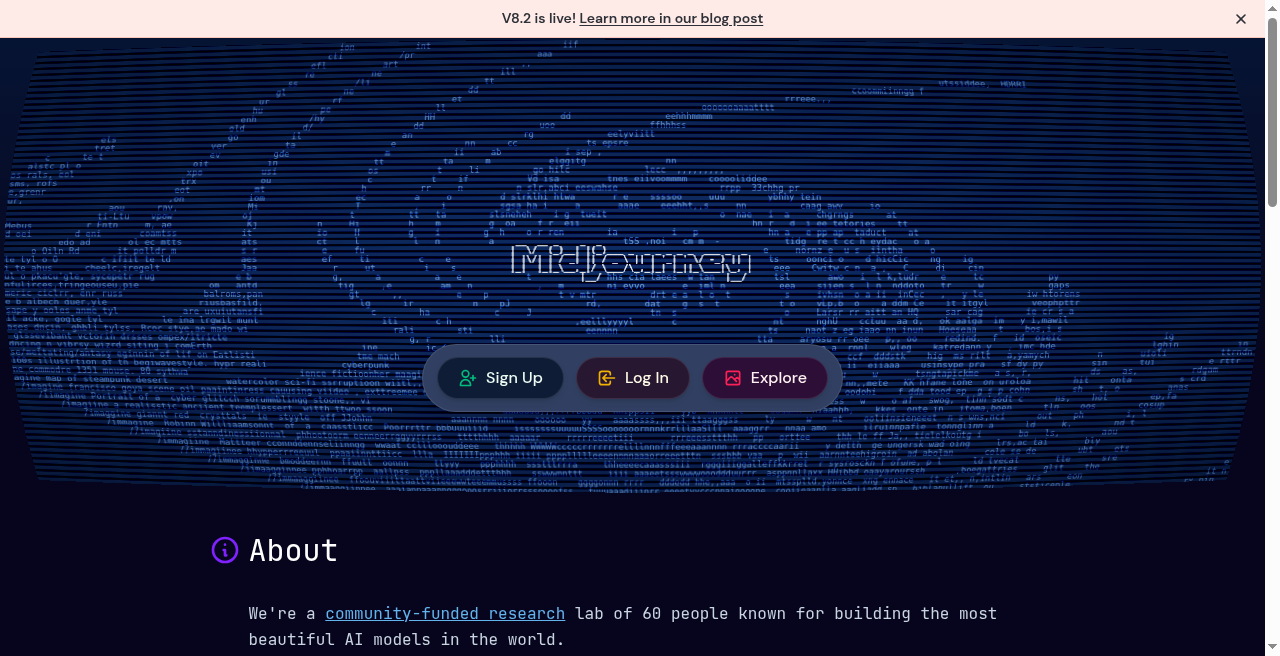
The artistic direction pick. Press coverage reports that V8.2 became Midjourney's default model on 24 July 2026; Versely carries Midjourney V7 at 8 credits with up to 5 reference images. Best for: illustration, concept art, anything where "it just needs to look good" is the brief.
FLUX.2 and FLUX Pro Ultra (Black Forest Labs)
The control and photorealism pick. On Versely, FLUX.2 Pro and FLUX.2 Max run 3 and 6 credits, FLUX Pro Ultra 1.1 is 5 credits up to 4K, and FLUX.2 Flash is 1. Black Forest Labs announced FLUX 3 in July; FLUX 3 Video is a Versely row and FLUX 3 Image is still rolling out. Best for: commercial product shots, portraits, lifestyle, and brand pipelines that need reference conditioning.
Seedream 5 Pro (ByteDance)
A flagship model for dense layouts and structured designs, with native text rendering in 14 languages, at 6 credits on Versely. See the Seedream 5 prompting guide. Best for: editorial layouts and multilingual graphics.
Qwen Image 3
Alibaba's third-generation image model: strong prompt adherence and complex text in Chinese and English, up to 2K. Qwen Image 3 is 3 credits on Versely (Pro 6). The right pick for posters, comics and graphics targeting Asian markets.
Recraft 4.1
The only major generator here that outputs true vector art alongside raster. Text to image is 3 credits on Versely and text to vector 7. Best for: brand graphics, logos, icon sets, technical illustrations. See the Recraft 4.1 prompting guide.
Stable Diffusion 3.5
The open-weights workhorse from 2024: Large (8B), Large Turbo (4-step optimized for speed), Medium (2.5B). Runs locally on consumer GPUs. Best for: self-hosting, custom fine-tuning, no-subscription workflows. Newer open-weight options include FLUX.2 Dev and Ideogram 4.
Imagen 4 (retired)
Google's Imagen 4 line is gone: its endpoints stopped answering and Versely removed the rows. Nano Banana is Google's image family now.
Most of the models above are rows in Versely's text-to-image tool, so you can run the same prompt across several and pick the winning output. Nano Banana 2.1 and FLUX 3 Image joined Versely in October at 4 credits each; Midjourney V8.x and Stable Diffusion 3.5 are not Versely rows today.
Part 2 - Utility tools that do the real work
Generation is only half the job. The other half is cleaning, extracting, enhancing, restoring. These are the tools worth knowing in 2026.
Remove background from images
Best free: Versely's free background remover runs BiRefNet-lite in your browser, so images never leave your device and no credits are spent. Best mature tool: Remove.bg - long the standard for hair and fur edge preservation. Best integrated: Adobe Firefly's background replacement, if you already live in Creative Cloud.
For harder cutouts, the paid path is the AI photo editor.
Remove background from videos
Same underlying tech (matting and segmentation) but applied per frame, with smoothing so edges stay stable from frame to frame. Great for UGC creators who want to composite themselves onto any background without a green screen. Versely's free video background remover handles short clips of up to 20 seconds in your browser, with chroma green, a blur or your own image as the new background. For longer footage there are paid rows, compared in Bria vs VEED.
AI photo colorization
Best for artistic control: Palette.fm - crisp and historically plausible output. Best for genealogy / old family photos: MyHeritage In Color - widely used for black-and-white family portraits. On Versely: Topaz image colorization is 7 credits.
Quality is close enough across these that pricing and workflow are the differentiators.
AI image upscaling
Best for photographers: Topaz Gigapixel - local GPU processing, Lightroom / Photoshop plugins. Best for AI-generated art: Magnific AI - diffusion-based creative upscaling that adds plausible detail. Free / open-source: Real-ESRGAN, and Versely's free image upscaler, which runs on your device. On Versely: Topaz image upscale is 7 credits and the Clarity Crystal upscaler is 2.
Rule of thumb: use Gigapixel when you need to stay faithful to the original, use Magnific when you want the upscaler to invent sharper detail.
Object removal and inpainting
Best if you live in Creative Cloud: Adobe Firefly Generative Remove. Best for e-commerce: Photoroom - speed-optimized, batch-friendly. Best free / lightweight: Cleanup.pictures - browser-based, one-tap for quick fixes, or Versely's free object eraser, which paints out objects on your device.
Face restoration
CodeFormer and GFPGAN remain the two baseline open-source models, and the usual starting point when you're restoring old family photos and need the person to still look like them.
Old photo restoration (scratches, tears, damage)
FLUX Kontext is a strong all-in-one candidate - it can combine scratch removal, damage repair, and colorization in one pipeline, with less of the oversaturated look older tools produced. On Versely, FLUX Kontext is 2 credits.
Part 3 - What shipped since this guide's first draft
The generator list above moved a lot between April and October. The dated table is in latest AI image models, picked by job; the short version:
Shipped:
- GPT Image 2 (April), then GPT Image 2.5 with Flare and Sunburst on 8 September.
- Ideogram V4 on 3 June.
- Midjourney V8.1 in April, and V8.2 as the default model from 24 July, per press coverage.
- Qwen Image 3 and Seedream 5 Pro in August.
- Nano Banana 2.1, generally available on 6 October.
- FLUX 3: announced by Black Forest Labs in July. The video model is out, and FLUX 3 Image shipped on 1 October; it runs on Versely at 4 credits.
Retired: Imagen 4.
Treat anything that is not on a vendor's own page or in a changelog as rumor, and don't plan workflows around it. The pace of improvement on utility tools (bg removal, upscalers, restoration) has been quieter than on generators this year, which is another reason to keep the finishing stack small.
Putting it together - a complete 2026 image stack
For most creators, a working stack looks like:
- Generate with GPT Image 2.5 or Nano Banana (general), FLUX.2 (control and references), Midjourney (stylized) or Ideogram V4 (text-heavy).
- Remove background with the free on-device remover or Remove.bg.
- Upscale with Gigapixel for faithful or Magnific for creative, or the free upscaler for a quick fix.
- Inpaint / remove objects with Firefly Generative Remove or the free object eraser.
- Restore old assets with FLUX Kontext or MyHeritage.
Versely bundles the generation layer (GPT Image, Nano Banana, Flux, Midjourney V7, Ideogram, Qwen, Seedream and more) plus on-top editing in a single text-to-image tool. For specialist cleanup steps, pair with the utility tools above.
What I'd actually do
Generate the still in text-to-image, then only open a utility when the still fails a real job: background, upscale, or object remove. Midjourney or Flux for the hero, Ideogram when type is in-frame. Dress UI captures with the free screenshot beautifier before they go in a deck.
Where to generate next
Ship the next cut on Versely
High-impression guides only convert when the next click is a tool. Browse caption styles, burn with the AI caption generator or free burn captions, generate on AI video generator, and peek at free tools for local utilities that never spend credits.
FAQ
What are the best AI image tools in 2026? For generation, GPT Image 2.5, Nano Banana and Grok Imagine Image 2.0 lead many creator workflows; Flux, Midjourney, and Ideogram V4 still cover niche jobs. The rest of the stack is utility: background remove, upscale, colorize, and restore. Start in the text-to-image tool when you want gallery stills without juggling separate apps.
What is the best AI image generator in 2026? For everyday stills and edits, GPT Image 2.5 or Nano Banana. For text in images, Ideogram V4. For artistic output, Midjourney. For control and reference conditioning, FLUX.2. No single winner - use a stack.
What is the best free AI image generator? Open-weight models you run yourself (FLUX.2 Dev, Ideogram 4, Stable Diffusion 3.5) cost nothing beyond your GPU. On Versely there is no free generation tier, but the cheapest rows are 1 credit (FLUX.2 Flash, Z-Image Turbo, HiDream O1) and the on-device free tools cost nothing.
What is the best free background remover? Versely's free background remover (BiRefNet-lite, in your browser, no upload) or Remove.bg's free tier. For video, use the free video background remover.
What is the best AI tool to colorize black-and-white photos? Palette.fm for artistic control, MyHeritage In Color for genealogy. Both produce plausible, natural-looking color.
What is the best AI upscaler? Topaz Gigapixel for photography, Magnific AI for AI-generated art, Real-ESRGAN or Versely's free image upscaler for free/open-source.
Can AI restore damaged old photos? Yes - FLUX Kontext and modern MyHeritage pipelines handle scratches, tears, fading and colorization in one pass. Results are good enough to print.
The takeaway
The generation models get the headlines, but the utility tools ship the work. In 2026 the creators moving fastest are the ones who've memorized a small stack of both - one or two generators they know cold, three or four utilities for everything after generation - and stopped chasing every new release.
Build that small stack, and shipping beautiful images stops being a bottleneck.