

Grok Imagine Prompting Guide
Grok Imagine prompts that work: a design-brief stack for stills (2 or 4 credits on Versely) and a motion-first brief for image-to-video.
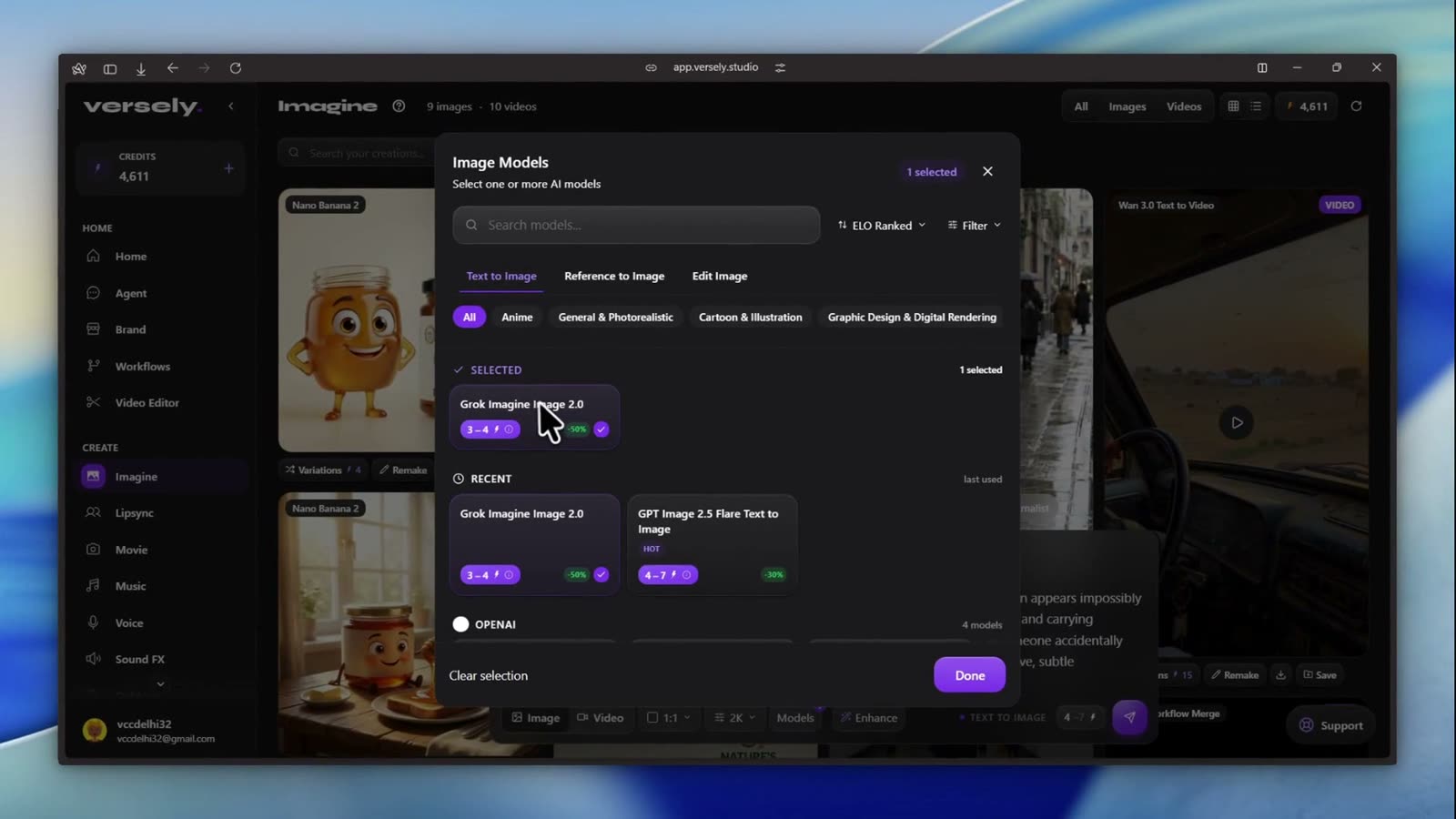
Grok Imagine prompting works best as a design brief for stills and a motion brief for video, not as a keyword pile. Name the subject, the layout, any exact text and the style; for video, name one action and one camera move. On Versely, stills cost 2 or 4 credits and video starts at 7.
Lock a still before you buy motion. There is no free generation tier; credits apply on every generate, so trust the composer total if stickers have moved. The Grok Imagine rows on Versely, read from the live catalog on 8 October 2026:
| Row | Credits | Limits | Use it for |
|---|---|---|---|
| Grok Imagine Image | 2 per image | Up to 4K | Ideation and unexpected takes |
| Grok Imagine Image 2.0 | From 2 (marked down from 5) | 13 aspect ratios, 1K or 2K, up to four images a request | xAI's current stills model; the same brief shape |
| Grok Imagine Image Quality | 4 per image | Up to 2K | Locking the plate before motion |
| Grok Imagine Video 1.5 | Per second: 7 at SD, 12 at HD, 20 at the top tier | 1 to 15 seconds, up to 1080p, native audio; text, image and reference variants | Image to video and text to video |
| Grok Imagine Video (original image-to-video row) | From 24; per second 4 at SD, 6 at HD | 6 to 30 seconds, 720p | Longer clips; Extend continues a take from 13 credits |
Video prices rise with resolution and length, so a full job costs more than the "from" figure. Image 2.0 Edit, for region changes, is 5 credits and takes up to three source images.
This guide is the technique hub for Grok Imagine stills plus a short image-to-video section. Deeper motion dialects live in Seedance 2.5 prompting guide and Wan 3.0 prompting guide. Stills siblings: GPT Image 2 prompting guide, Nano Banana 2 prompting guide, Seedream 5 prompting guide, Ideogram V4 prompting guide, and Recraft 4.1 prompting guide.
The stills design-brief stack
Only subject and deliverable are mandatory. Add the other slots in the order your last still failed.
- Deliverable - feed still, story frame, product hero, concept art, thumbnail base
- Subject - who or what owns the frame
- Layout - placement, hierarchy, aspect ratio, negative space
- Text - quoted strings, size feel, placement (or no text)
- Style - medium, lighting, color, mood (Realistic / Artistic / Anime when the composer exposes styles)
- Constraints - exclusions in the prompt (no dedicated negative field on this stack)
Write labeled lines or short prose. Grok Imagine Image is a strong ideation model with a creative bent. Image Quality is the tighter plate when you are about to spend video credits. Image 2.0 on the Grok provider page uses the same brief shape when that row is active.
Composition before adjectives
Name shot size, viewpoint, and aspect before mood words. Call out placement when layout matters. Pick the ratio from the composer (wide heroes and tall stories are different stills, not one generate).
Weak:
A beautiful cinematic portrait looking viral and premium.
Stronger:
DELIVERABLE: 9:16 story still.
SUBJECT: A courier in a weatherproof jacket pauses on a rain-wet crosswalk at blue hour.
LAYOUT: Low three-quarter view, subject left of center. Empty upper third for later type.
LIGHT: Cool street glow from the right, soft specular on wet asphalt.
STYLE: Photorealistic documentary still, 35mm feel, muted teal and amber grade.
CONSTRAINTS: No text, no logo, no watermark, no extra people in the foreground.
Two concrete composition words beat ten intensifiers. See also shot composition prompts and style keywords.
Worked prompt 1 (ideation still on Image, 2cr)
DELIVERABLE: 1:1 concept still for a beverage brand.
SUBJECT: Frosted citrus soda bottle on wet slate, three-quarter view.
LAYOUT: Bottle in the lower-right third. Empty upper-left for a short headline later.
LIGHT: Soft daylight from upper left, fresh commercial grade.
STYLE: Photorealistic product photography, 50mm equivalent.
CONSTRAINTS: No text, no logos, no watermark, no extra bottles.
Use the 2-credit Image row to hunt direction and unexpected takes. When one frame is clearly the keeper, re-run or refine on Image Quality (4 credits, up to 2K) before you animate.
Worked prompt 2 (Quality lock, 4cr)
DELIVERABLE: 4:5 hero still to lock before image-to-video.
SUBJECT: Same frosted citrus soda bottle, cream label face readable, condensation beads.
LAYOUT: Centered three-quarter view, eye level, shallow depth of field on the label.
LIGHT: Softbox from upper left, gentle fill from the right, controlled specular on glass.
STYLE: Photorealistic studio product, clean commercial grade, 1K or 2K Quality setting.
CONSTRAINTS: No text rewrite on the label, no watermark, no props that hide the bottle.
A video generate is not a higher-quality still with movement. Approve the plate first. Confirm the live 4-credit Quality sticker in the composer.
Text in the image
When words are part of the picture, treat copy as literal output.
- Put required wording in straight quotes.
- Specify typography feel and placement in a separate clause.
- Fence with
render verbatim, exactly as written, no extra charactersandno other text anywhere in the frame.
Keep lines short. For type-critical posters and labels, also compare Ideogram V4 and Recraft 4.1. If captions belong on a video later, burn them after with /tools/ai-caption-generator or /free-tools/burn-captions instead of asking the still to invent UI chrome.
Image-to-video: motion-first briefs
Catalog note: the original Grok Imagine Image to Video row hubs with Extend. Its live headline is 24 credits, with durations such as 6s, 10s, 15s, 20s, and 30s (720p listed on that row). The newer Grok Imagine Video 1.5 family takes any length from 1 to 15 seconds at 480p, 720p or 1080p with native audio, and bills per second from 7 credits. Full jobs can rise with resolution. Read the composer before you spend.
In standard I2V the uploaded still is the opening frame. Prompt motion, camera, pacing, and sound. Do not re-describe what is already visible.
I2V stack:
- One main subject action (verb + intensity)
- One camera move (push-in, pull-back, orbit, static)
- Environment response (steam, rain, fabric, dust)
- Timing (slow, gradual, over N seconds)
- Continuity anchors (preserve face, wardrobe, bottle label)
- Optional sound (
AUDIO:soft wind, glass clink, distant traffic)
Weak I2V: A beautiful cinematic soda bottle commercial, 8K, masterpiece.
Stronger I2V:
MOTION: Condensation beads slowly slide down the frosted glass. Soft steam drifts behind the bottle.
CAMERA: Slow push-in, locked horizon, no shake.
PRESERVE: Bottle shape, cream label art, lighting direction, and background exactly as in the still.
AUDIO: Soft fridge hum, faint glass tick, quiet room tone.
CONSTRAINTS: No new props, no people, no text changes, no jump cuts.
Rules that save credits:
- Do not contradict the still (if the jacket is red, do not invent blue).
- One subject action and one camera idea per clip.
- Negative prompt piles are ignored; say what you want instead.
- Mention sound on purpose or you still get a soundtrack you did not choose (native audio on Grok video rows).
Longer continues after a keeper cut are Extend territory, not a new identity roll. Pure text-to-video without a locked still belongs on Grok Imagine Video; this hub stays on stills plus I2V.
Failure modes
| Failure | Likely cause | Fix in the brief |
|---|---|---|
| Generic centered catalog look | No layout or aspect | Name framing, placement, ratio, negative space |
| Rewritten or gibberish type | Unquoted copy | Quote strings; typography clause; no other text |
| Video face or label drifts | Animating an unlocked still | Lock on Image Quality; preserve list on I2V |
| Chaotic I2V motion | Re-described the image; too many actions | Motion-first; one action; one camera |
| Unwanted soundtrack | Silent video prompt | Write AUDIO: or accept native fill |
| Soft still after approval | Asking the model to "fix" cleanup | On-device /free-tools/image-upscaler or /free-tools/background-remover |
| Watermark or fake UI | Web-trained chrome leak | Constraints: no text, no watermark, no logos |
Exclusions live in the prompt. Targeted absences beat long boilerplate. See negative prompts.
Skip the dialect: brief the Versely agent
You can learn this stack. On Versely you can also skip memorizing every Grok Imagine dialect and brief the agent instead of writing prompts: content type, photos or references, edits you will accept, target platforms, and a budget ceiling. Name the row when it matters ("use Grok Imagine Image Quality for the hero still, then Image to Video"). The agent plans the job; you approve the plan.
A prompt still wins when you are hand-tuning one hero plate or one motion pass. A brief wins when the job is bigger than one generate: variants, captions, and a post path with a spend cap.
After the take: edit, post, collections
When the Grok Imagine pass is close enough:
- Finish cutouts and sharpening on-device with /free-tools/background-remover and /free-tools/image-upscaler when those are the remaining gaps on stills. Use /free-tools/object-eraser for stray props.
- Motion: send the approved still into /tools/ai-video-generator as image-to-video. Prompt the motion brief on the video row; do not ask the still model to invent a timeline.
- Burn mute-proof captions with /tools/ai-caption-generator or /free-tools/burn-captions when mute viewers need them.
- Upload or schedule to connected social accounts, or export and post from the native app.
- Save keepers into a Versely collection so the next brief reuses winning stills, motion lines, and AUDIO blocks.
Honest limit: Image rows are stills. I2V animates an approved frame; it is not a multi-scene editor. Board separate generates for separate setups. Credits apply on every generate.
FAQ
What is the best Grok Imagine stills prompt formula?
Deliverable and subject first, then layout, quoted text, style, and constraints. Drop any slot you do not need. Add slots in the order your last failure showed up.
Image vs Image Quality vs Image 2.0?
Image (2 credits, up to 4K) for ideation and wide exploration. Image Quality (4 credits, up to 2K) to lock the plate before motion. Image 2.0 (from 2 credits on the live page, marked down from 5) is xAI's current stills model, with 13 aspect ratios and up to four images a request; its Edit variant is for region changes, not a substitute for a motion brief.
How should I prompt Grok Imagine image-to-video?
Do not re-describe the still. Write one action, one camera move, environment response, preserve list, and optional AUDIO. Run it from the AI video generator after you approve the frame.
How much does Grok Imagine cost on Versely?
Live stills: Image 2, Image 2.0 from 2, Image Quality 4. Video: Grok Imagine Video 1.5 bills per second at 7 credits (SD), 12 (HD) and 20 (top tier), and the original Image to Video row starts at 24 (full jobs run higher with resolution and length). Confirm the composer. No free generation tier.
What is the maximum resolution of Grok Imagine on Versely?
Grok Imagine Image goes up to 4K and Image Quality up to 2K. Image 2.0 offers 1K or 2K output. For video, Grok Imagine Video 1.5 reaches 1080p and the original Image to Video row lists 720p. Resolution changes the credit price on the video rows, so check the composer before you generate.
Where do I run this on Versely?
Stills on text-to-image via Grok Imagine Image or Image Quality. Motion on AI video generator. Roster overview: Grok provider.
How is this different from GPT Image 2 or Seedance prompting?
Same brief discipline, different jobs. Grok stills lean creative ideation plus a clear Quality lock before I2V. Compare GPT Image 2, Nano Banana 2, Seedream 5, and Ideogram V4 for other stills dialects. For deeper multi-event video briefs use Seedance 2.5 or Wan 3.0.
Takeaway
Prompt Grok Imagine stills like a short design brief and I2V like a short motion brief. Lock composition and aspect, quote load-bearing text, spend 2 or 4 credits to approve the plate, then animate with one action and one camera on the video row. Run the family on Versely, or hand the agent a job brief when you would rather not memorize the dialect. Clean winners on-device when upscale or remove-bg is enough, caption when mute viewers need it, and file keepers in a collection so the next take starts warmer.
Versely AI Weekly
New AI models, every Thursday.
The image, video, audio and LLM models released that week, what each is good for, and what's new on Versely.