

Seedance 2.5 Prompting Guide: Beats, Refs, Audio
Prompt Seedance 2.5 like a director: subject, timed beats, narrow reference roles and an audio clause. On Versely it runs from 22 credits a clip.
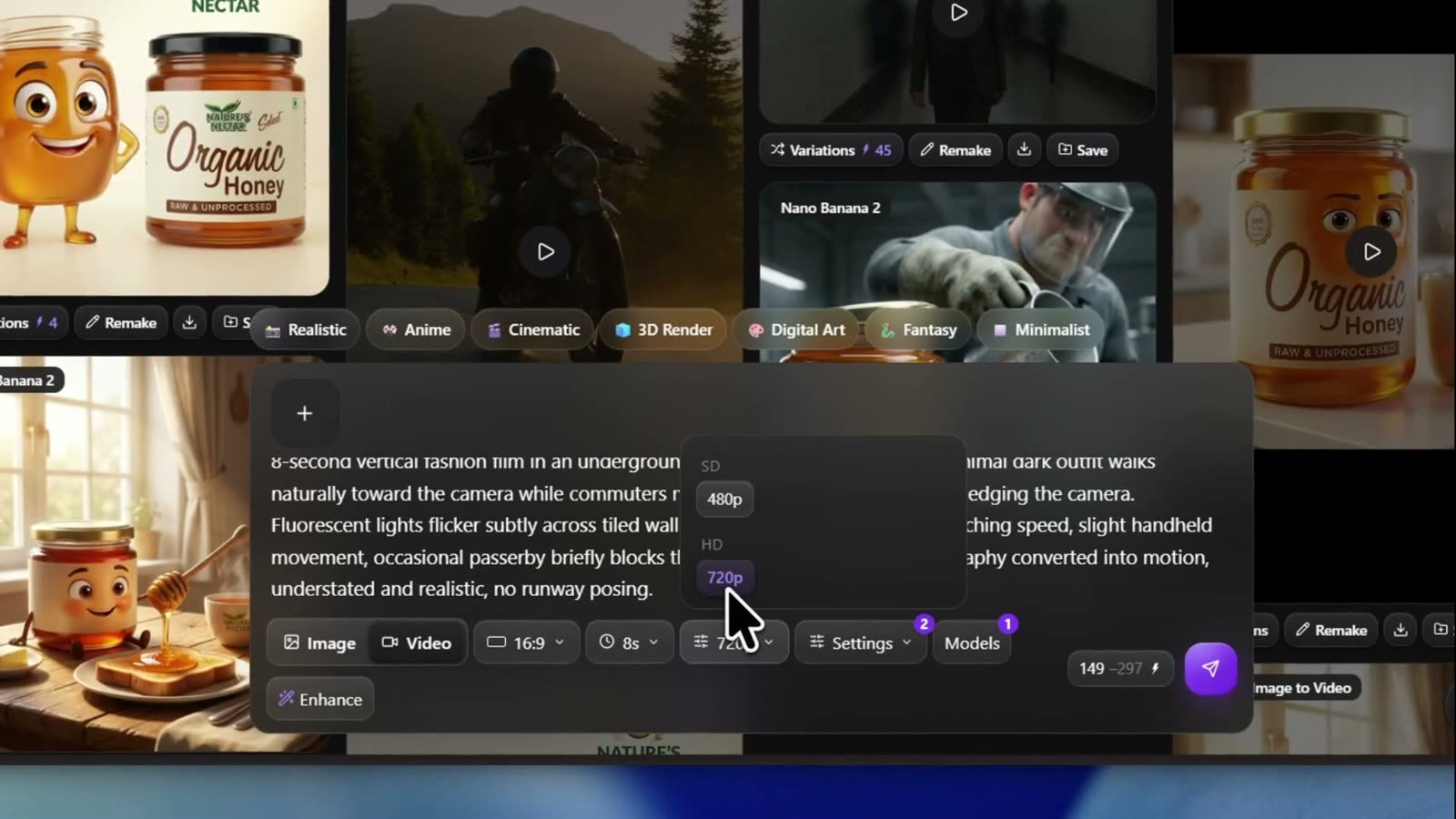
Seedance 2.5 prompting is not a prettier caption. Treat the box like a director brief: who is on screen, what happens, which reference owns which job, when each beat lands, how the camera moves, what must stay continuous, what you hear, and what to keep out. On Versely you run the three catalog rows (Seedance 2.5, image-to-video, reference-to-video). On 28 October 2026 text and image-to-video start at 22 credits a clip (6 credits a second at 480p, 11 at 720p) and reference-to-video at 67. Then iterate the prompt instead of restacking adjectives.
This guide is the technique layer. For click-by-click studio setup see how to make viral videos with Seedance 2.5. For filling a full 30-second continuous take see how to brief a 30-second Seedance 2.5 take. The Seedance 2.0 prompting guide remains the sibling for shorter trend clips on the 2.0 row.
The director brief stack
Only subject and action are mandatory. Add the other slots in the order your last take failed.
- Subject - who or what stays readable in frame
- Action - one verb chain the camera could hold
- Reference roles - each
@Image/@Video/@Audiogets one narrow job - Timeline - integer-second beats for multi-event takes
- Camera - one move per beat, tied to an event
- Continuity - identity and state that must not reset
- Audio - dialogue, SFX, ambience, music in the same pass
- Constraints - exclusions live in the prompt (no dedicated negative field)
Write it as labeled lines if that helps you edit. Seedance reads the clauses either way. What it does not forgive is five unrelated ads glued with commas.
Timestamped beats for multi-event takes
Seedance 2.5 responds to integer-second ranges. Seedance 2.0 largely ignored them. Use contiguous windows with no gaps. Treat stamps as pacing budgets, not frame-accurate cuts.
Weak:
A florist wraps a bouquet, ties ribbon, and hands it to a customer while smiling.
Stronger:
0-6s: A florist in a linen apron gathers stems on a wood counter in soft morning light. 6-14s: She wraps kraft paper, twists it closed, and ties a cream ribbon. 14-20s: She turns the finished bouquet toward camera and offers it to a hand entering from the right.
Give each beat room. Crowding three micro-actions into one second forces hard cuts or dropped events. Match duration to beat count: one clean beat often wants 4 to 8 seconds; three connected beats want closer to 15 to 20; pad to 30 only when events fill the time.
Worked prompt 1 (single beat, short)
FORMAT: 9:16, 6 seconds, photoreal product.
SUBJECT + ACTION: A frosted citrus soda bottle on wet slate. A hand lifts it and pours a steady stream into a tall glass of ice until foam rises.
CAMERA: Slow push-in at close range. Locked framing on bottle and glass.
LIGHT: Bright daylight from upper left, fresh commercial grade.
AUDIO: Crisp fizz of the pour, ice settling, light room tone. No music.
CONSTRAINTS: No text, no subtitles, no warped hands, no extra bottles.
Worked prompt 2 (multi-beat timeline)
FORMAT: 16:9, 18 seconds, grounded kitchen realism.
SUBJECT + ACTION: A woman in a green wool coat sits at a kitchen table with an unopened letter beside a mug.
TIMELINE:
0-6s: She notices the letter, pauses, keeps both hands on the mug.
6-12s: She slides the letter closer, opens it carefully, unfolds one page.
12-18s: She reads silently. Expression moves from concern to quiet relief.
CAMERA: Medium close-up, eye level. Slow push only after she unfolds the page.
CONTINUITY: Same short black bob, green coat, silver hoop earrings, same kitchen throughout.
AUDIO: Soft room tone, paper rustle, distant street. No music. No dialogue.
CONSTRAINTS: No recast, no new room at midpoint, no subtitles, no text overlay.
Narrow reference jobs (and what not to copy)
Uploading a still is not the instruction. Name the asset by order (@Image1, @Video1, @Audio1) and give it one job. State what it must not leak into the take.
REFERENCE ROLES:
@Image1 controls the barista face and hair only. Ignore clothing, background, and lighting in @Image1.
@Image2 defines the navy apron and cream logo patch only.
@Video1 supplies camera trajectory and pacing only. Ignore its subject, location, and wardrobe.
@Audio1 supplies voice timbre for one short line only. Leave out its music bed.
If two images disagree on environment, you created a conflict the model must invent its way out of. Prefer one subject lock, one wardrobe lock, one motion lock, one audio lock. Crowded group photos work better when you crop to a single face first.
Worked prompt 3 (reference-to-video)
FORMAT: 9:16, 12 seconds, editorial fashion, soft daylight.
REFERENCE ROLES: @Image1 defines the model's face, hair, and proportions only. Ignore the pose and studio backdrop in @Image1. @Image2 defines the camel trench coat cut, lapels, belt, and color only. Ignore @Image2's lighting.
SUBJECT + ACTION: The model walks slowly toward camera, stops, and makes a half-turn so the coat hem flares then settles.
CAMERA: Full-body start. Push to waist-up only after the hem settles. No orbit.
CONTINUITY: Same face, hair, coat construction, belt position throughout.
AUDIO: Soft footsteps on concrete, light fabric rustle, quiet studio. No dialogue. No music.
CONSTRAINTS: No redesign of the coat, no duplicated limbs, no text, no watermark.
One camera move per beat, tied to events
Stacking "dolly, orbit, whip, crane" in one sentence without triggers makes the model guess timing. Tie the move to a cause.
Weak: Orbit, then whip right, then crane up.
Stronger: As the food leaves the pan, the camera orbits the chef's face, then whip-pans right to follow the arc.
Prefer crew vocabulary Seedance already reads: push-in, pull-back, orbit, crane, handheld, locked-off. Separate subject motion from camera motion in different clauses so neither flattens the other.
Native audio in the same pass
Audio is generated with the picture when the Audio toggle is on (the default on Versely). Write an Audio: clause. Split layers when the mix matters: dialogue, SFX, ambience, music.
AUDIO:
DIALOGUE: She looks at the cup and says quietly, "Okay. That one."
SFX: Ceramic clink as the cup meets the saucer.
AMBIENCE: Soft cafe murmur, espresso machine hiss under.
MUSIC: None.
There is no dedicated negative_prompt field on common Seedance 2.5 APIs, so exclusions live in the prompt text: No subtitles. No BGM. No text overlay. No warped hands. Put them at the end so they stay easy to edit.
Duration matched to beat count
| Beats in the prompt | Sensible length | Why |
|---|---|---|
| One clean action peak | 4 to 8s | Fast iterate; less empty padding |
| Two or three connected steps | 12 to 20s | Room for cause and aftermath |
| Full continuous story | up to 30s | Only when events fill the clock |
Iterate at 480p when you are still locking motion. Deliver at 720p once the prompt holds. There is no 1080p on this row. Catalog details stay on /models/seedance-2-5.
Failure modes
| Failure | Likely cause | Fix in the prompt |
|---|---|---|
| Events pile into the first half | No timeline, or empty late windows | Add contiguous second ranges; cut micro-actions |
| Face or product drifts mid-take | Vague "use my image" | Narrow @Image1 to face or pack only; name what not to copy |
| Background jumps with the reference | Reference leaked environment | Explicit exclusion: do not copy background or lighting |
| Camera feels random | Move list without triggers | One move per beat, tied to an on-screen event |
| Mix fights the picture | No Audio clause, or stacked VO | Layer dialogue / SFX / ambience; say No BGM when needed |
| Identity reset after a turn | Continuity not restated at risk points | Re-anchor two visible traits when the subject reappears |
| Empty 30s with dead air | Duration longer than the events | Shorten the clock or add real beats |
| Burned-in captions you did not want | Model inventing titles | Constraints: No subtitles, no text overlay |
Skip the dialect: brief the Versely agent
You can learn this stack. On Versely you can also skip memorizing every Seedance dialect and brief the agent instead of writing prompts: content type, photos or references, the edits you will accept, target platforms, and a budget ceiling. Name the row when it matters ("use Seedance 2.5 Reference to Video"). The agent plans the job; you approve the plan instead of babysitting clause order.
A prompt still wins when you are hand-tuning one hero take. A brief wins when the job is bigger than one generate: variants, captions, and a post path with a spend cap.
After the take: edit, post, collections
When the Seedance pass is close enough:
- Light trim and pacing in the studio editor if a beat overruns. Leave editing to the editor, not the model.
- Burn mute-proof captions with /tools/ai-caption-generator or the on-device /free-tools/burn-captions path. Keep type off faces when the product is the point.
- Upload or schedule to the social accounts Versely already connects for your workspace. If a network is not connected, export the mp4 and post from the native app.
- Save keepers into a Versely collection so the next brief reuses the same stills, refs, and winning prompt lines.
Honest limit: Seedance 2.5 is not a full multi-scene movie editor. Board separate generates when you need separate setups, then stitch. The continuous single-pass is the product.
FAQ
What is the best Seedance 2.5 prompt formula?
Subject and action first, then reference roles, timestamped timeline, camera, continuity, Audio, and constraints. Drop any slot you do not need. Add slots in the order your last failure showed up.
How do I write Seedance 2.5 timestamps?
Use integer-second ranges with no gaps (0-7s, 7-14s, 14-20s). They pace events; they are not frame-accurate edit points. Finish hard cuts in an editor.
How should I use reference images?
Address them as @Image1, @Image2, and assign one job each. Always say what not to copy (background, lighting, pose) when the still contains signals you do not want.
Does Seedance 2.5 generate audio?
Yes, in the same pass when Audio is on. Write an Audio: clause. Put exclusions such as No BGM or No subtitles in the prompt text.
How is 2.5 prompting different from Seedance 2.0?
2.5 takes integer-second timelines seriously, supports longer single-pass takes, and leans harder on narrow multimodal reference roles plus native audio. 2.0 still suits short tone-first trend clips; use the 2.0 prompting guide for that dialect.
Where do I run this on Versely?
Open the AI video generator or Imagine with Seedance 2.5 selected. On 28 October 2026 the text and image-to-video rows start at 22 credits a clip (67 before the current discount), billed at 6 credits a second at 480p and 11 at 720p. The reference-to-video row has no discount that day: it starts at 67 credits, at 17 a second at 480p and 38 at 720p, so test worked prompt 3 short and at 480p. The composer shows the total for your length and quality before you send, and Seedance 2.5 pricing lists every row.
Takeaway
Prompt Seedance 2.5 like a short shoot brief, not like an image caption. Timestamp multi-event takes, give every reference one narrow job, write Audio inline, and park exclusions in the prompt. Run the rows on Versely, or hand the agent a job brief when you would rather not memorize the dialect. Then caption, post where the product supports it, and file the keepers in a collection so the next take starts warmer.
Versely AI Weekly
New AI models, every Thursday.
The image, video, audio and LLM models released that week, what each is good for, and what's new on Versely.