

How to Make Menu Videos for Restaurants With AI
Make menu videos for restaurants with AI: animate real dish photos with micro-motion, add price overlays, and loop them for screens and social feeds.
Food video runs on three seconds of motion: steam curling off ramen, cheese pulling away from a slice, sauce hitting a plate. Nobody watches a dish for thirty seconds — they watch it for three, feel hungry, and act. Which means a restaurant "menu video" isn't one video at all: it's a library of 3–6 second dish loops that you assemble into reels, screen displays, and story posts endlessly.
There's one iron rule before any technique: the food must be real. Generating a fictional burger and selling it is false advertising and a one-star review generator. The AI recipe here starts from photos of your actual dishes — the models add the motion, the light, and the polish, never the food.
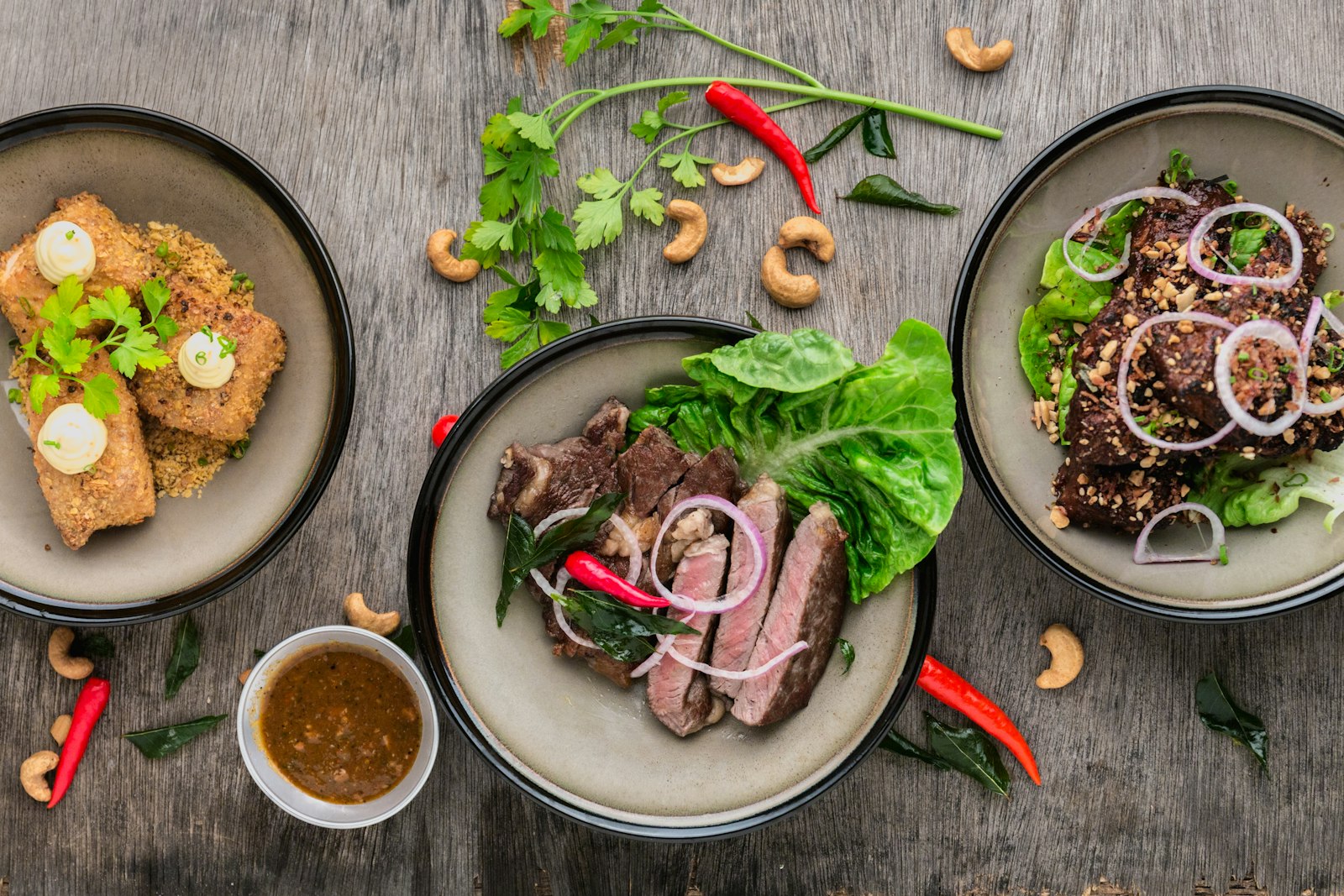
Step 1: Shoot the photo library (one afternoon)
Everything downstream depends on 15–25 good stills of your real menu. You don't need a food photographer — you need a phone, a window, and an hour before service:
- Natural side light from a window, never overhead fluorescents
- Two angles per dish: 45° (the menu classic) and directly overhead for flat dishes
- The dish alone on a clean surface — negative space is where price overlays will live
- Capture the "action state": the noodles lifted, the burger cut, the drink mid-condensation — the most appetizing version of the dish, since that's the frame the motion will grow from
Shoot the full menu in one session so lighting matches across every dish. Consistency across the library is what makes your feed look like a brand instead of a camera roll.
Step 2: Animate with micro-motion, not camera moves
Feed each still through image-to-video with prompts that ask for ingredient motion and almost nothing else: "steam rises gently from the bowl, subtle shimmer on the broth, camera static." The mistake everyone makes is prompting camera swoops — orbiting shots warp plates and smear textures, and warped food kills appetite instantly. Keep the camera static or drifting at most; let the steam, the bubbles, and the glisten do the work.
Model choice matters for food because the failure mode — texture morphing — is model-specific:
| Dish type | Motion needed | Good fit |
|---|---|---|
| Hot dishes (soups, grills) | Steam, shimmer | Hailuo 2.3 — subtle, stable motion |
| Drinks, sauces, pours | Liquid physics | Kling — strongest liquid behavior |
| Desserts, cold plates | Slow drift, sparkle | PixVerse 5.6 — fast and cheap for gentle loops |
Generate 3–6 seconds per dish. Reject any clip where the food itself visibly changes shape — steam can move, the dumpling cannot. Expect to keep two of every three generations; food is a high-scrutiny subject and your standard should be "would I serve this frame."
Step 3: Overlay the menu information
A dish loop becomes a menu video when it answers the ordering questions on screen. Add text overlays directly in Versely: dish name in your brand type, price, and one flavor cue ("wood-fired · spicy honey"). Three rules:
- Place text in the negative space you shot for — never across the food.
- One dish, one card. Cramming four dishes into one frame turns craving into reading.
- Keep the overlay style identical across the whole library: same font, same corner, same animation-in. The library is a design system.
Dietary marks (V, GF, spice level) earn their place here too — they're the difference between a pretty video and one that actually reduces "what's vegan?" questions at the counter.
Step 4: Assemble for three destinations
The same dish loops build three different products:
Social reels (9:16). Chain 4–6 dish loops with hard cuts on the beat of a licensed-safe generated track — an upbeat 15–20 second reel. Lead with your best seller, end with the dish you want to sell more of, and caption the opening frame with a hook ("rating everything on our menu, part 1"). Series formats — one dish per episode, "what our chef eats," "new this week" — outperform one-off posts because they train return viewing. Assemble and schedule these in the reel maker.
In-store screens (16:9). Stitch the full library into a long seamless rotation — each dish holding 5–6 seconds with its price card — and let it loop silently above the counter. This is where the static-camera discipline pays off: gentle loops read as ambient and appetizing on a wall screen, where fast cuts read as chaos.
Story posts and ads. Single dish loops with a limited-time price or a "today only" sticker. The 3-second loop is the ad; add nothing but the offer.
Step 5: Refresh with the menu, not the calendar
The library model changes maintenance economics. When a dish changes, you re-shoot one photo and regenerate one loop — not a whole video. Seasonal specials get shot in the same lighting setup and inherit the same overlay style, so they join the rotation looking native. A practical cadence: refresh loops for changed dishes immediately, add specials weekly, and re-shoot the whole library when your plating or branding meaningfully changes — roughly twice a year. Restaurants that treat this as a system, not a project, are covered in more depth in restaurant video marketing with AI.
FAQ
Can I use AI-generated food images for my menu?
Don't. Showing customers food that doesn't exist is false advertising and destroys trust the moment plates hit tables. Photograph your real dishes and use AI for what it does legitimately: motion, polish, overlays, and assembly. Real food, AI production.
What if my dish photos aren't professional quality?
The bar is lower than you think: window light, a clean surface, and the dish's most appetizing state get you 90% of the way, and the motion pass adds the perceived production value. AI photo enhancement can rescue exposure and color, but it can't rescue bad plating or fluorescent overhead light — fix those at the shoot.
How long should restaurant menu videos be?
The atomic unit is a 3–6 second dish loop. Social reels assembled from them run 15–20 seconds; in-store rotations run as long as the menu, at 5–6 seconds per dish. Nothing about food needs to be longer — craving happens in the first three seconds or not at all.
Why do my AI food videos look melted or wrong?
Camera-movement prompts. Orbits and swoops force the model to re-render the dish from angles it has to invent, which morphs textures. Keep the camera static, prompt only ingredient motion (steam, shimmer, bubbles), and reject any clip where the food's shape drifts — the fix is prompt discipline, not a better model.
How often should I post food videos?
Three to four reels a week is achievable once the library exists, because posting becomes assembly rather than production. Batch a month of reels in one session from your loop library, schedule them, and reserve fresh effort for specials and seasonal items.
Shoot ten dishes tomorrow afternoon, animate them in Versely's image-to-video tool, and you'll have a month of reels and a counter screen from one hour of photography.